How Untimer counts a day
Untimer counts a day in 25 minute sessions of the same size. Here is what a session records and how the day is drawn. It also shows what changes when you count in sessions and stop guessing in hours.
Read the articleUntimer is the most researched focus timer and the best choice against procrastination and distraction. It brings the methods that work from a dozen productivity apps into one screen.
Try it here
Press and hold the hourglass to wind it up. Let go and your 25 minute session begins.
Starting is the hardest part of any task. Holding the hourglass for 2.5 seconds makes the start a decision. Your session begins when you let go.
This hourglass runs a real 25 minute session in your browser. The app adds your tasks and keeps a record of your sessions.
The timer, your sessions and your milestones are free.
Built on research
Untimer keeps what works against procrastination and distraction. It leaves out what gets in the way.



Why Untimer works
Untimer looks like one timer on one screen. Behind it sits the research on how attention, habits and interruptions behave. It also borrows the small rewards that games and feeds use to hook you. Untimer points them at your work.

Untimer makes time visible. Sand drains in the hourglass while you work. The minutes left stay in your browser tab when you switch to another window.
Why it works. Watching time drain trains you to feel it. Many people with ADHD perceive time differently, and research has measured it. In a study of children, a visible countdown reduced anxiety and off task behaviour (Hallez and Vallier, 2025). The children with the most trouble paying attention gained the most.
You press and hold the hourglass for 2.5 seconds. A spring winds up and clicks under your finger. The session starts when you let go.
Why it works. Winding is a commitment. A button is free, so pressing it means little. Holding the hourglass gives the start weight. The hold is long enough to notice that you have begun.

A session is 25 minutes. A break is 5 minutes and a long break is 25 minutes. A set is 4 sessions.
Why it works. In a study of students, those who followed a fixed schedule of focus and breaks reported higher concentration and motivation and lower fatigue and distraction (Biwer and colleagues, 2023). The structure is what made the difference. So Untimer keeps one number for each length and makes that decision for you. You start instead of arranging a schedule first.
Untimer sets the lengths for you. Settings holds only a few choices.
Why it works. Each choice between you and the start is a place to stall. Untimer decides the small things so you can begin.
After a session a calm scene takes the place of the hourglass. The break waits for you and starts when you press its button.
Why it works. A break lets your mind absorb the session you just finished. Focus on one task fades over time, and short breaks restore it (Ariga and Lleras, 2011). A break spent on the phone left people as drained as no break at all (Kang and Kurtzberg, 2019).

A phone or a thought pulls you away. You tap Interruption and write one line, and the message box shows it when you come back.
Why it works. Part of your mind stays on unfinished work (Leroy, 2009). Writing down where you stopped frees that attention and helps you on the next task (Leroy and Glomb, 2018).
Name a task and guess how many sessions it will take. Each session you finish fills a dot. When the task is done, you see your guess next to what it took.
Why it works. A specific plan helps people start (Gollwitzer and Sheeran, 2006). Each filled dot is a small reward. Over time you learn which tasks take the most time, and your guesses get better.

Milestones mark what you did, from your first session to your thousandth. Reaching one rings a bell.
Why it works. A reward that is weeks away pulls less, and less again with ADHD (Jackson and MacKillop, 2016). Games solve this with feedback within seconds. Milestones give you that feedback after each session.
Active days shows how many of the last 45 days had at least one session, for example 31 of 45. It also shows your current run and your longest run.
Why it works. A missed day lowers the count by 1. It does not reset you to zero. Missing a single day makes little difference to how a habit forms (Lally and colleagues, 2010).
The first time you open Untimer, a short tour shows you each part of the screen.
Why it works. Tips appear in the message box as you go. You learn the app while you use it.
Set the end of your working day in Settings. The day strip marks it with a flag.
Why it works. Stopping is as hard as starting for many people. A fixed end to the day gives you a line to stop at. Stopping on time leaves you rested for tomorrow.

Who it is for
If this sounds like you, you may be an Untimer. Your sense of time does not keep track for you, so Untimer keeps track and shows it to you. Untimers come from all walks of life and work. Many of them have ADHD.
Take the quiz
How a session goes
Hold the hourglass for 2.5 seconds, then let go. The session starts and runs by itself.
The session runs for 25 minutes. Peach sand shows the time left and sage sand shows the time used.
Tap Interruption and write one line. The message box shows it when you return.
A bell ends the session. A break scene takes the place of the hourglass.
Start the break when you are ready. After 4 sessions you get a long break of 25 minutes.
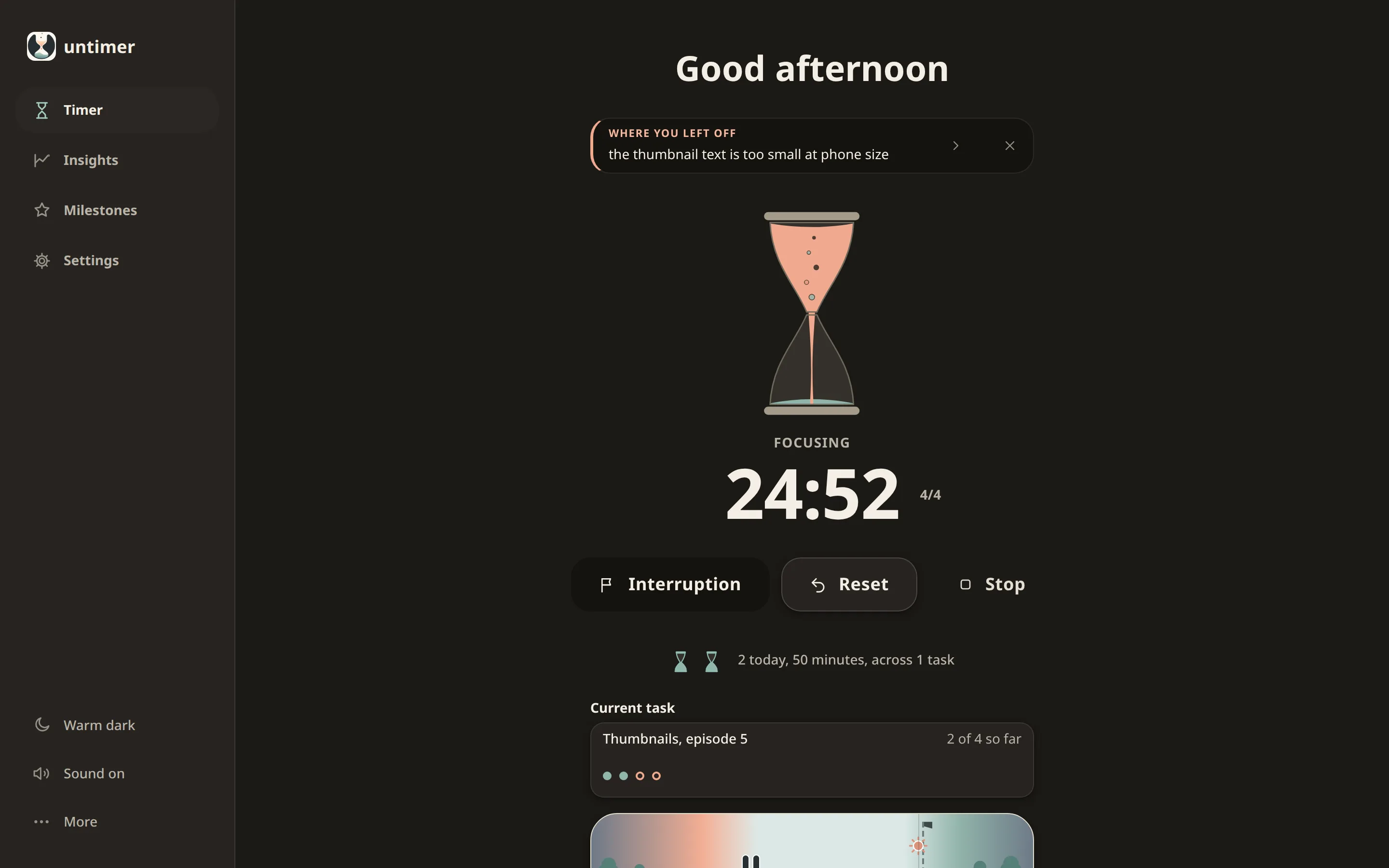
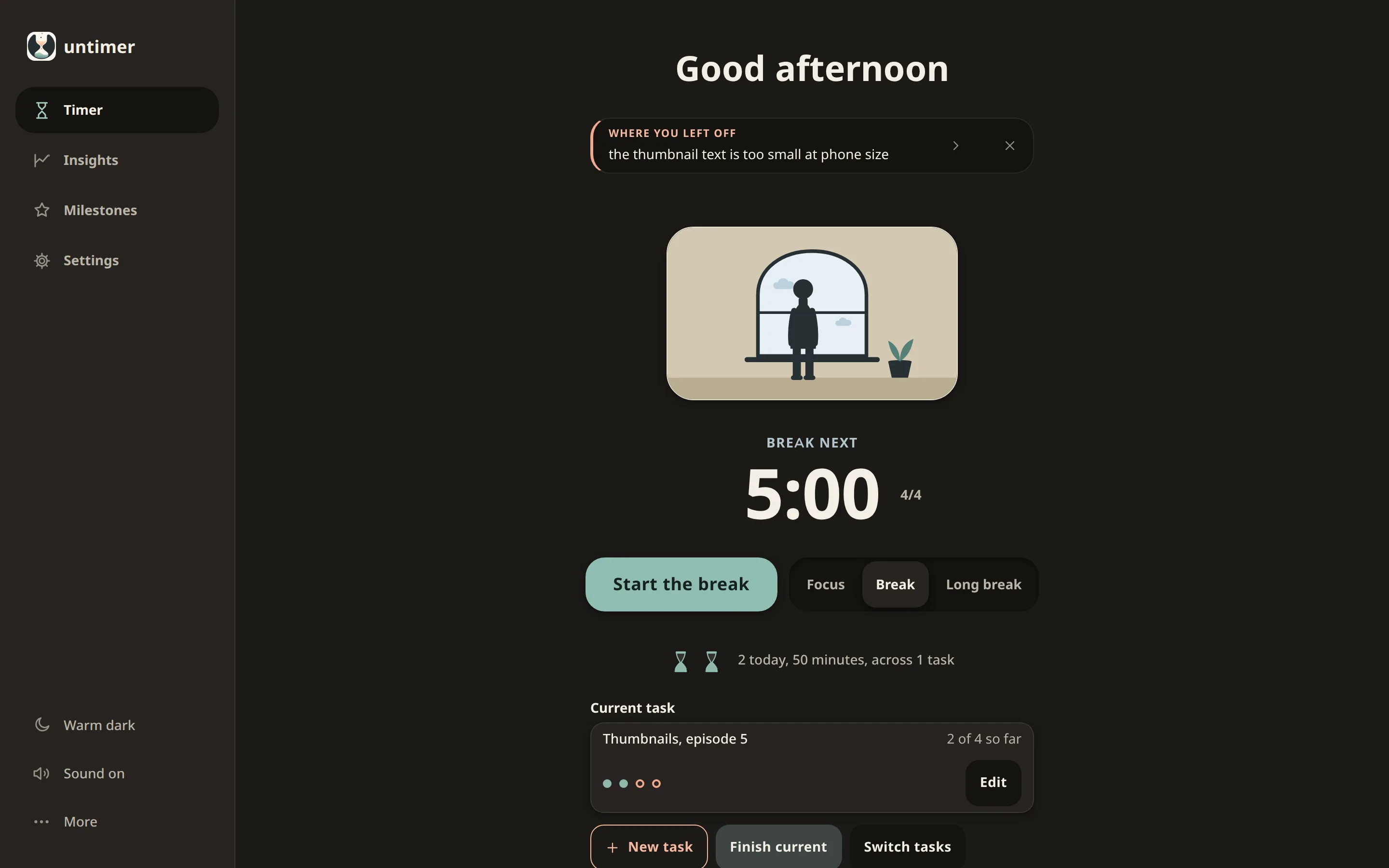
Tabs and devices
Start a session at your desk and pick it up on your phone. A refresh, a closed tab or a sleeping laptop keeps your session and its time.
The day strip
The day strip draws today from midnight to midnight. Each session stands at the hour it ran. A small sun marks the time now.
The day strip is the screen the founder looks at most.
Insights
Look back over your week and see where the hours went. Keeping a record of what you do is one of the most effective ways to build a habit (Michie and colleagues, 2009).
Days
Free
Each small hourglass is one full session. Open a day to see its strip and its sessions.
Active days
Free
Active days shows how many of the last 45 days had a session.
The year
Plus
Each square is one day. More sessions make it darker.
Milestones
A big goal can be months away. Milestones reward you after each session, so you see progress today. They report facts about your work instead of paying you for it. That keeps the work itself rewarding (Deci, Koestner and Ryan, 1999).

Reaching a milestone is free. Plus shows how close you are to the next one. Read more about the research behind milestones.
Beside your work
Untimer works in a window as narrow as a phone. Keep it at the edge of your screen while you work in another window.
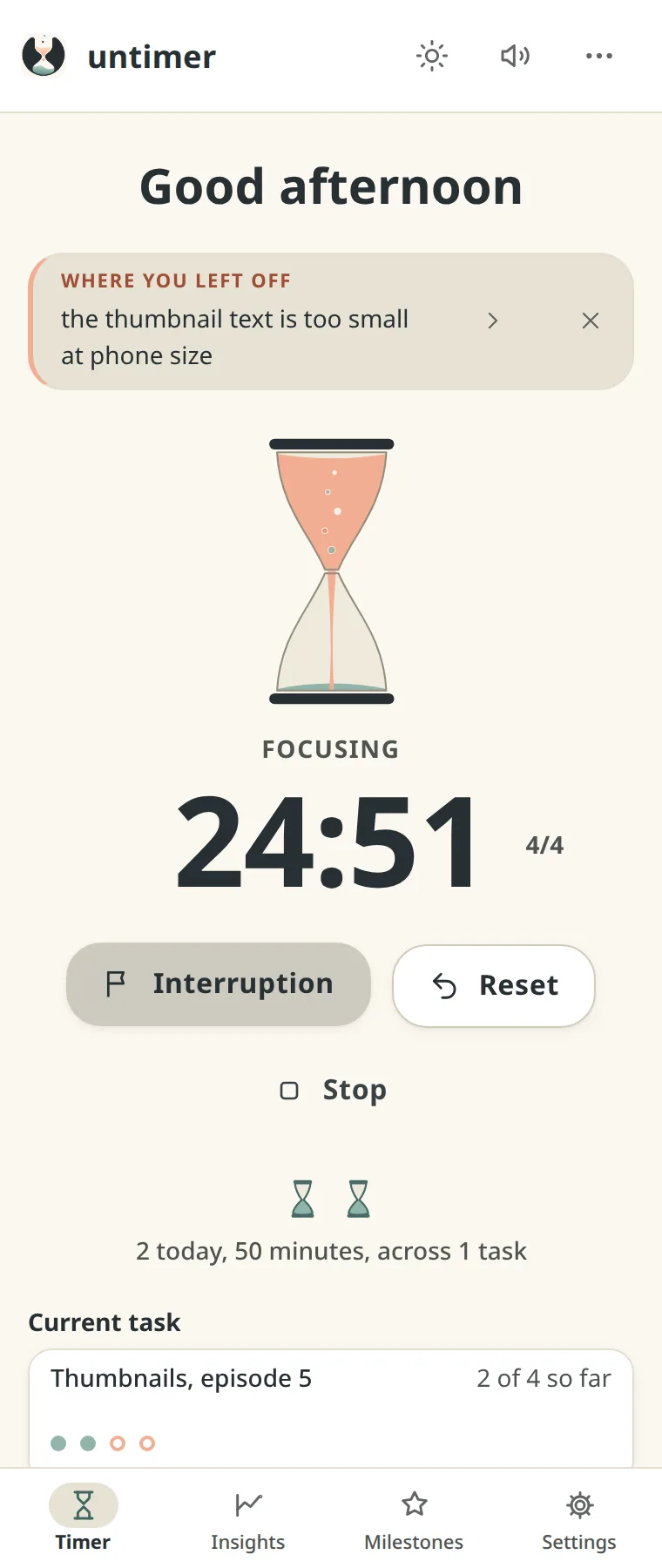
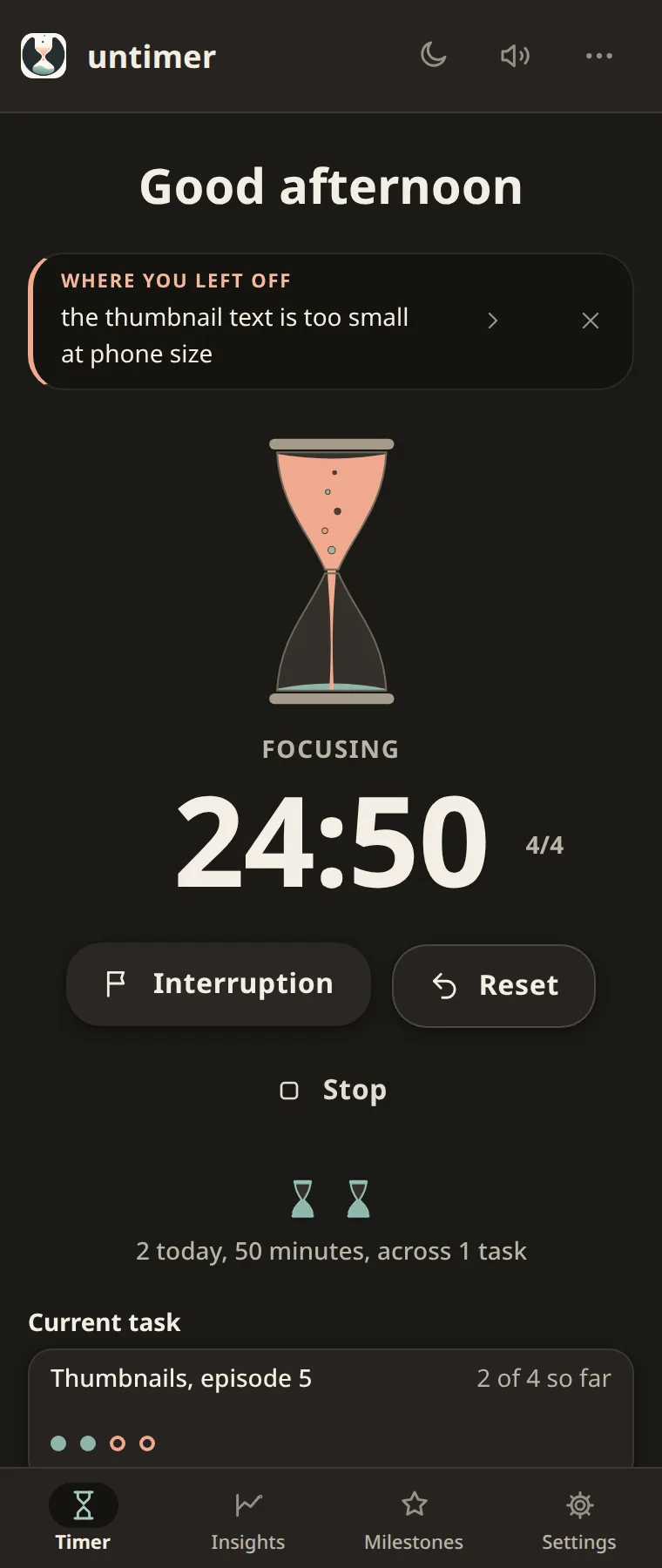
Pricing
Plus adds more to Insights and Milestones when you want it.
Free
$0
No card needed.
Plus Insights and Milestones
$1.99 a month
or $19 a year, paid once
Android
Get it on Google Play. Take your session from the desk to wherever the work is.

Articles
The articles explain how Untimer works and the research behind it.
Untimer counts a day in 25 minute sessions of the same size. Here is what a session records and how the day is drawn. It also shows what changes when you count in sessions and stop guessing in hours.
Read the article
Most of what gets called procrastination is a starting problem. Untimer makes the start small and gives it weight with a hold of the hourglass. A session is also easy to stop, and that makes it easier to begin.
Read the article
Most browser timers forget the session when you refresh the page. Untimer stores each session on the server as an end time. A refresh or a sleeping laptop leaves the session running. Your other devices show the same session.
Read the articleQuestions
Something else on your mind? Write to hello@untimer.com.
Yes, Untimer is free to use. The timer and your sessions are free. Active days, each milestone you reach and the data export are free too. Plus is $1.99 a month or $19 a year. It adds 8 more panels in Insights and shows how close you are to the next level of each milestone. Untimer has no ads and runs no trackers.
Plus adds 8 panels to Insights. Three of them show where your sessions went: by task, by hour and by weekday. Totals and Best day, week and month show your counts. Start and end times shows when your working day usually begins and ends. Interruptions shows what pulled you away, month by month. The year shows each day of the last year as one square. Plus also shows how close you are to the next level of each milestone.
A session is 25 minutes. After each session you get a 5 minute break. After 4 sessions you get a long break of 25 minutes. The lengths are set for you, so you can start right away. You can end a break early. In Settings you can set when your working day ends.
Press and hold the hourglass for 2.5 seconds, then let go. The session starts when you let go. If you let go early, the hourglass unwinds. A separate action winds the hourglass for switch access, voice control and screen readers.
Winding gives the session weight. A button is free, so pressing it means little. Holding the hourglass for 2.5 seconds is a decision to start. You are more invested in the session and more likely to follow through.
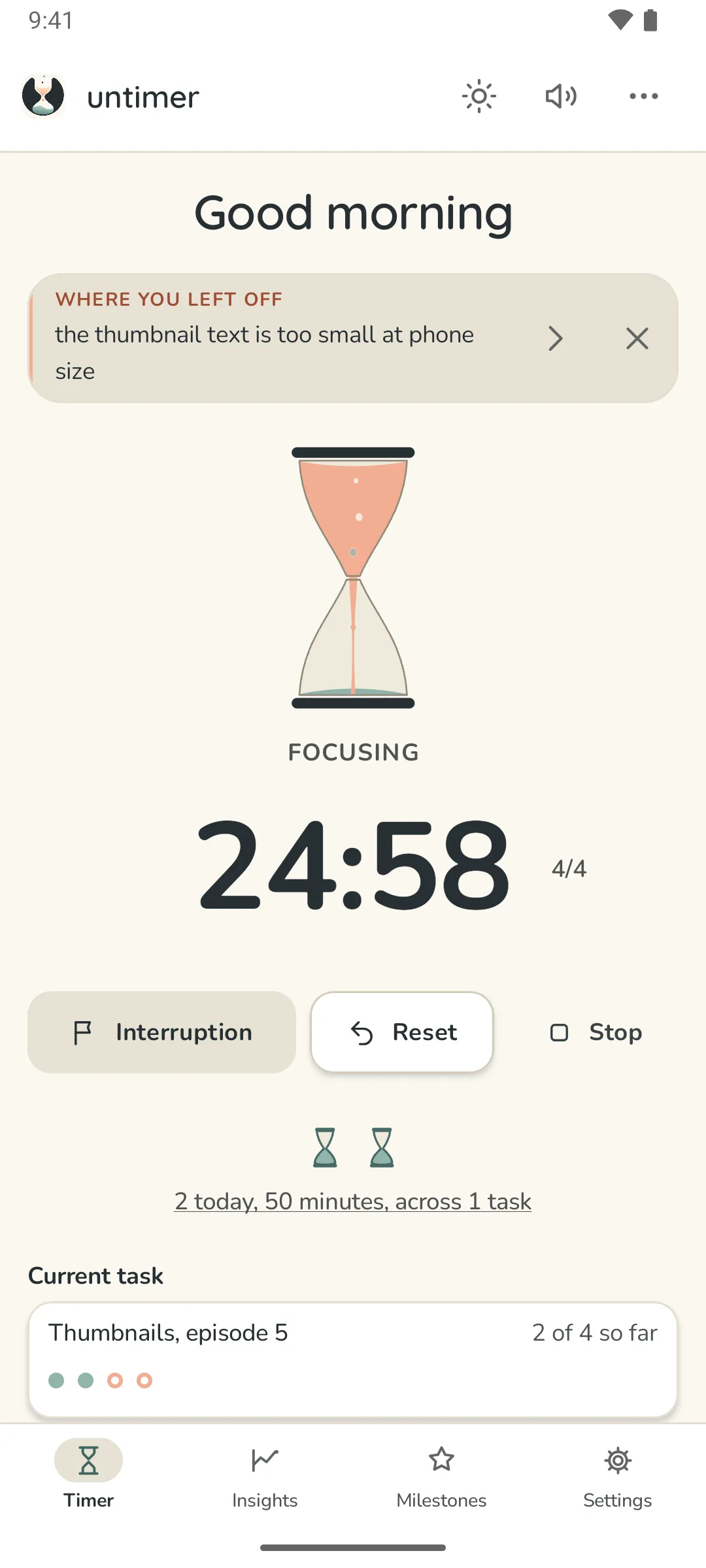
It sits under the greeting and shows one item at a time. First it says what just happened. Then it shows the line you wrote at your last interruption. After that come tips and facts about your sessions. The arrow shows the next item.
Untimer is for people who do not feel time passing. An hour on the phone feels like 10 minutes. A deadline feels far away until it is close. Untimers come from all walks of life and work. Many of them have ADHD. A diagnosis is not needed.
In a database in Ireland, and only your account can read it. Untimer stores what you record: sessions and tasks, notes and milestones. In Settings you can download all of it as one file. You can also delete your account there with all its data. This site and the app run no analytics. The privacy page lists what is stored.
Yes. Untimer for Android is on Google Play and uses the same account as the web app. On an iPhone the web app works in Safari. You can add it to your Home Screen.
Wind up the hourglass and your first session begins. You see it on the day strip when it ends.
Start focusingThe timer, your sessions and your milestones are free.