Coming soon

Untimer for Android is built, and it is coming.

It uses the same account and the same timer as the web app. A session you start at your desk is there when you open your phone, and one you start on your phone is there at your desk. It is the timer for the work that is not at a computer, and these pictures are the app as it runs today.

That button opens your mail app. We keep no list.

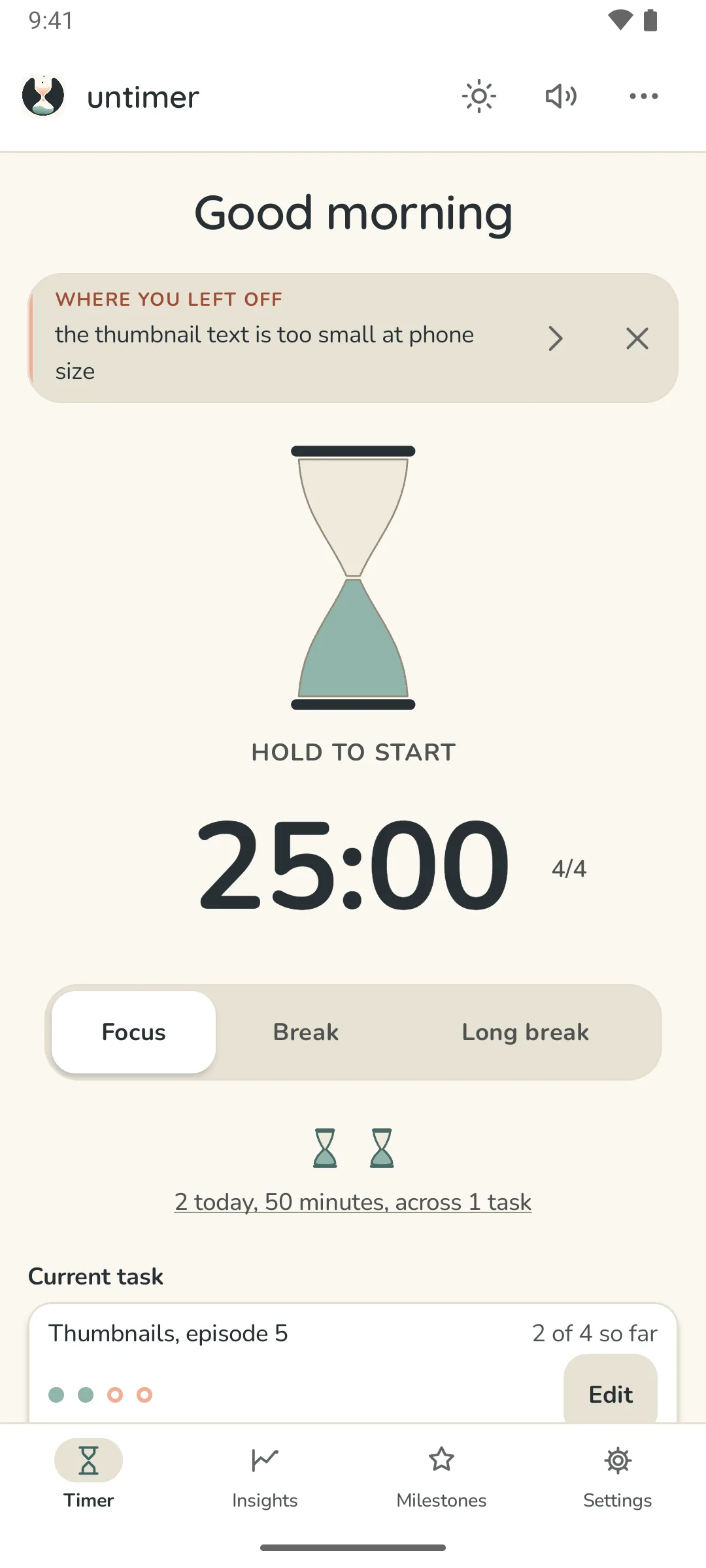
Untimer for Android at rest, in paper light: the box at the top with a line written at the last interruption, the Focus, Break and Long break selector, the glass at rest with Hold to start under it, 25:00 and the set figure, two small hourglasses for today's sessions, and the current task at two of four.
The Timer on a phone. The same glass, the same box, the same task card.

What it does

The phone shows the countdown and rings at the end.

In the notification and on the lock screen

The countdown is a live notification the system itself draws, in the status bar and on the lock screen, with the task you are on under it. Older versions of Android get an ordinary notification with the same time in it.

An alarm at the end

The sound comes from an exact alarm, so the phone is on time, asleep in your bag or not. Before it rings, the phone asks the server whether the session is still running, so one you stopped at your desk stays quiet.

It survives everything

Leave the app, put the phone away, or close it from the recents list. The session keeps running and the countdown keeps counting, because the end is a fixed moment and the phone is only reading the distance to it.

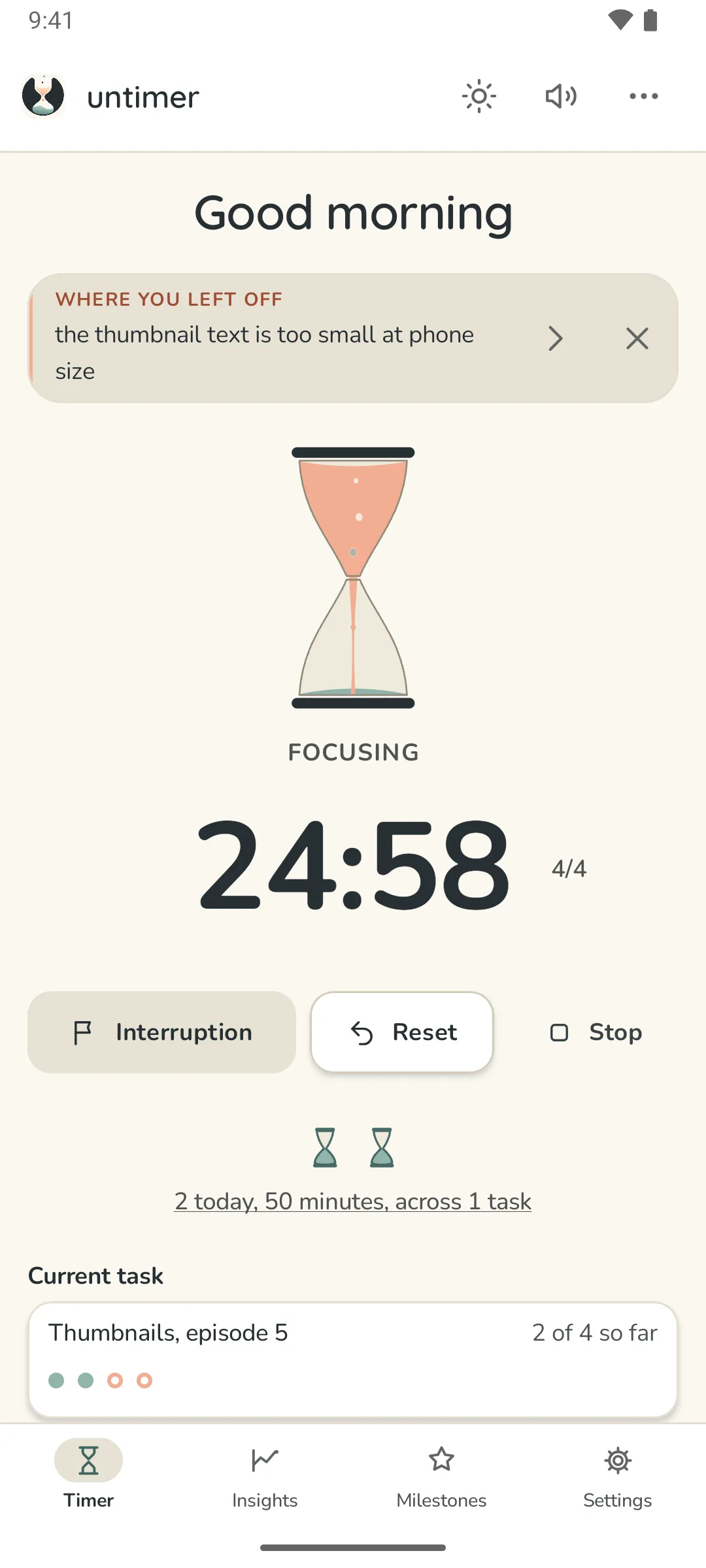
Untimer for Android with a session running: the live notification at the top reads Focusing, 24:54, Thumbnails episode 5, and below it the glass pours peach into sage, Focusing, 24:55 with the set figure, and the Interruption, Reset and Stop controls.
Running, with the system's own countdown at the top.
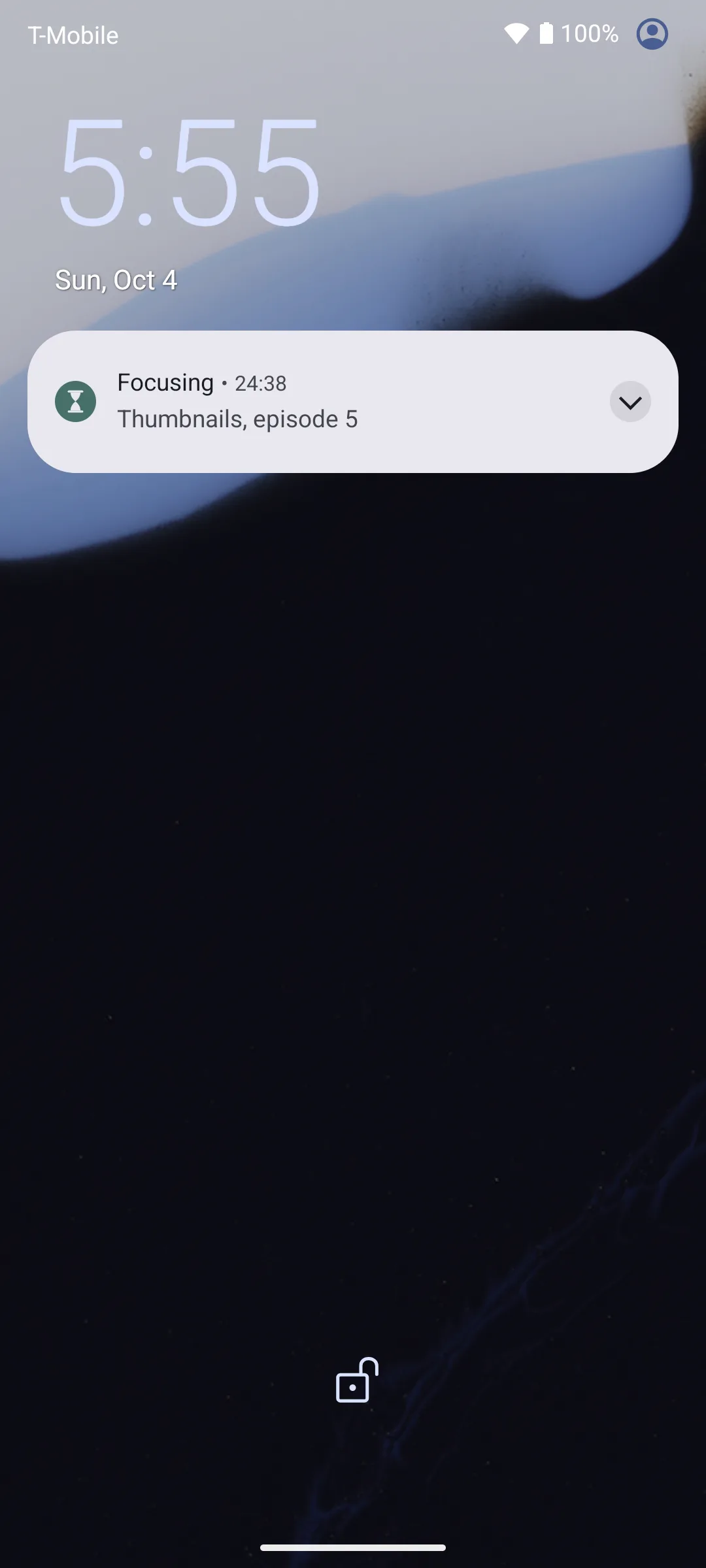
The phone's lock screen while a session runs, with the Untimer countdown drawn on it by the system.
The lock screen, with the session still counting.

Away from the desk

The timer for the work that is not at a computer.

Cleaning a room. Sorting out the garage. Reading a chapter on paper, or cooking something that takes a while. Anything that needs twenty five minutes of the same kind of attention, in a place where the computer is not. Wind the glass, put the phone in your pocket, and the notification says when the sand has run out. If something pulls you away, noticing it is one tap there too.

It is the same timer as on your computer. A session you start at the desk is on the phone when you pick it up, and one you start in the garage is on the desk when you get back, with the line you wrote and the task it went to. So a day can begin at the desk, carry on in the garage and end on the sofa, and the record is one record, about whatever you were doing.

  • The session is on the server, so the phone and the computer show the same one, always.
  • The notification counts down on the lock screen and rings at the end, in your pocket or on the table.
  • A task named on the phone is the task on the desk, and the note you wrote at an interruption meets you on either.
  • There is nothing to set up. Sign in once, and it is the same account.

The same timer

The same glass, the same twenty five minutes, the same set of four.

The wind feels the same on a phone, with the same two and a half seconds and the same clicks.

Your days, the insights and the milestones show the same records. A session you run on the phone shows up on your computer, and a line you write on your computer meets you on the phone. The box at the top, the day's count and the task card are the same on both. Your account, your export and your deletion work the same way everywhere.

It has the same features as the web app, and nothing extra, with one addition the web cannot have: the theme and the sound switch live in Settings, and there is a third theme choice, following the system.

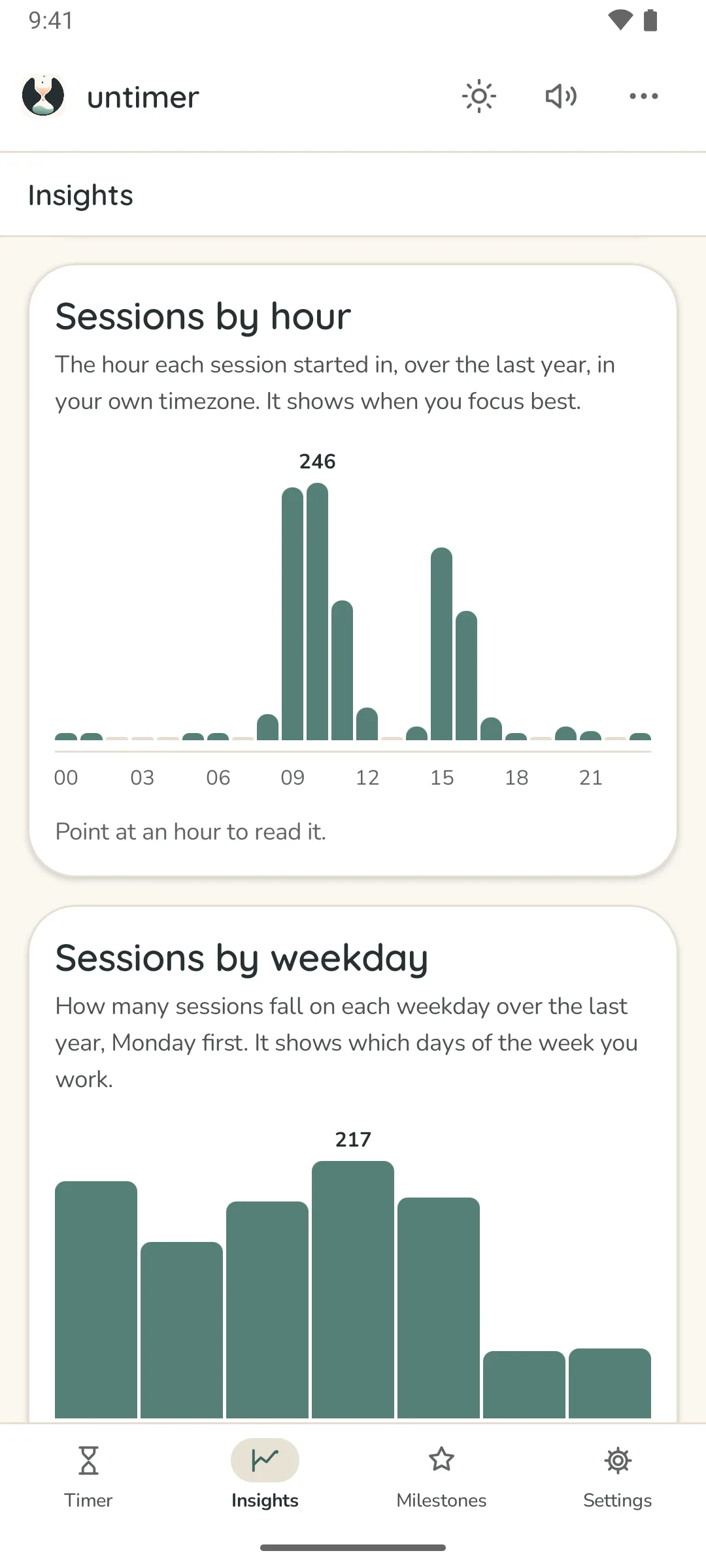
Insights on Android, in paper light: When you focus, sessions by hour of the day as bars; Which days, sessions by weekday; and What the time went to, finished tasks against what was said.
Insights, on the phone.
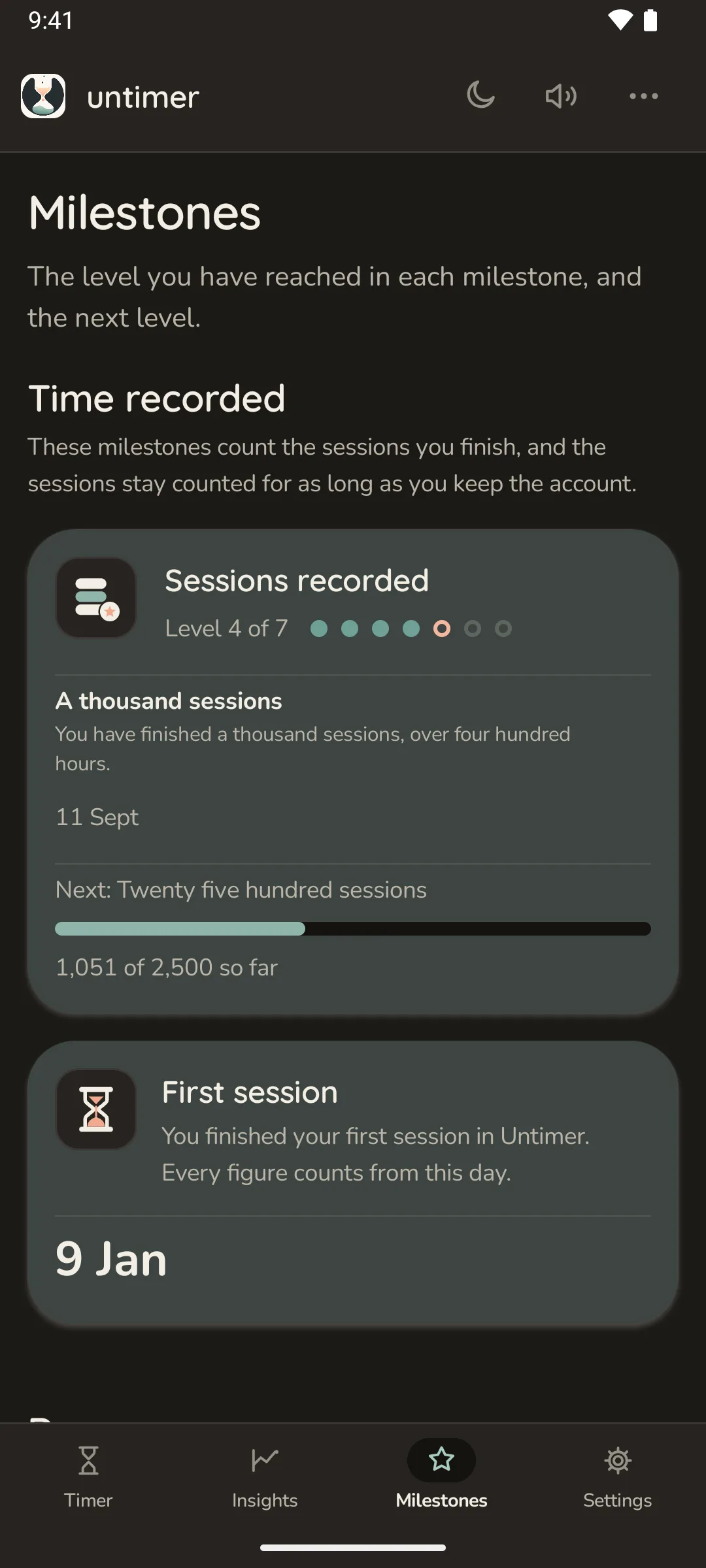
Milestones on Android, in the warm dark theme: Sessions recorded at level 4 of 7 with a thousand sessions reached on 30 July, Days in a row at level 3 of 5, and Days of the last year at level 2 of 3.
Milestones, in warm dark.

When

There is no date yet.

Untimer is built by one person. The web app came first because most sessions happen at a desk. The Android app is built and runs every day; what it is waiting for is the listing on Google Play, and it goes there when it is ready.

If you want to know when it ships, send a short email and you will get one reply, on the day.

Meanwhile

The web app already works in a phone browser.

Open app.untimer.com on your phone and add it to your home screen. It opens in its own window, and a session keeps running when the phone puts the tab to sleep.

It cannot show the countdown on the lock screen or ring while the phone is asleep. That is what the Android app is for.

Add it to your home screen

  1. Open app.untimer.com in Chrome.
  2. Open the browser menu and choose "Add to Home screen" or "Install app".
  3. Sign in once. It stays signed in.